





Manga UP! review
 Analysis by GetAllApps
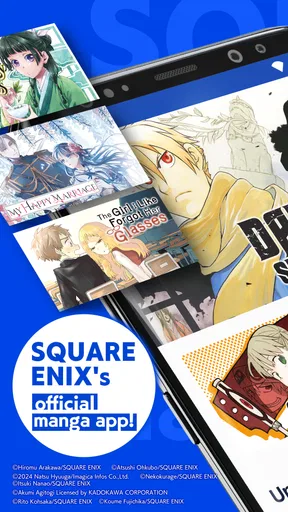
I judge a manga reader by more than the size of its catalogue: can I find a story, follow a page comfortably, and keep reading when my attention or surroundings are less than ideal? Manga UP! is SQUARE ENIX Co.,Ltd.’s manga app, and its clearest appeal is access to the publisher’s comics in a dedicated reading space. My view is that it can suit readers who want an easy way into digital manga, but the experience will depend on whether its reading and browsing style works for you.
Finding a story and following the page
As a comics app, Manga UP! is built around a simple goal: helping readers discover and read manga on a phone. That focus matters. Instead of treating comics as an incidental part of a general reading service, it puts manga at the centre, which makes it a natural option if you already know you want to read this kind of work. The app is free to install, while in-app purchases range from $0.99 to $169.99 per item, so it is worth paying attention to purchase prompts and checking what you are choosing before confirming anything.
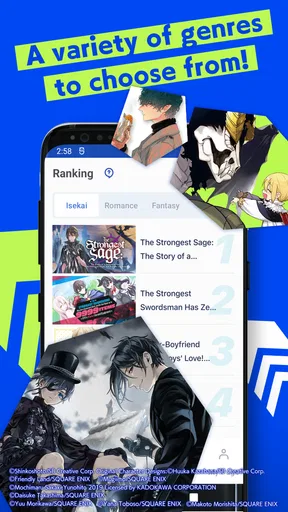
On a small screen, readable manga depends on more than the image itself. Page layout, panel order, text size within the artwork, and how easily a reader can move between sections all affect comfort. Manga UP! gives readers a purpose-built way to browse and read comics, but manga is still a visual format: dialogue and action are part of the artwork, and zooming or changing how a page is displayed may not solve every difficulty. I would try a sample of the kind of series you care about before making the app your main reading routine.
A useful habit is to explore with a specific goal rather than scrolling indefinitely. If you have a title in mind, look for it first; if you are browsing, decide whether you want to discover a new series or return to one you already follow. That small distinction can make a manga catalogue feel less overwhelming. It also helps readers who prefer a predictable routine: open the app, choose a story, read a little, and leave without needing to make a new decision at every step.
The app has an average rating of 4.4 from around 30,000 ratings, with about 609 written reviews. Those figures suggest plenty of readers have tried it, though a rating cannot tell you whether the interface will suit your eyesight, reading pace, or preferred manga genres. I treat that reception as a reason to consider it, not as a substitute for checking the actual reading experience on my own device.
Navigation that rewards a little planning
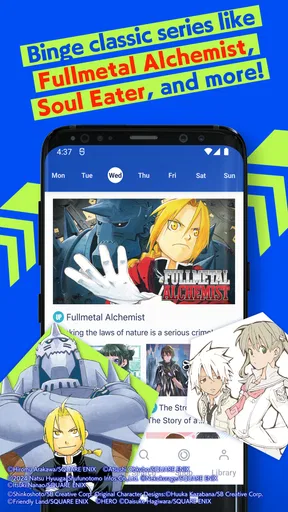
For someone new to digital manga, the most helpful approach is to test a short reading session before settling into a long one. Notice whether you can locate the series you want, understand where you are in it, and resume comfortably after putting your phone down. This is especially useful if you share a device or tend to read in brief intervals. A reader who can quickly reorient after a pause is often more practical than one that looks polished but makes returning to a story feel like starting over.
I would also separate discovery from reading. Browsing while tired or distracted can turn into a long session of opening titles without actually enjoying any of them. Choosing a series first, then returning to it when you have a few quiet minutes, is a better fit for readers who are easily pulled away by menus or recommendations. It is an everyday workflow rather than a special feature, but it can make a real difference to whether the app becomes a reading habit.
Motor and sensory comfort
Phone-based reading asks for repeated touch input: opening a title, moving through a comic, and handling the device while keeping the page visible. That can be comfortable for short sessions but tiring for someone with limited dexterity, hand pain, tremor, or difficulty making precise taps. I would test the app while holding the phone in the position you normally use, rather than assuming a reading interface will be comfortable simply because it is designed for mobile.
There is a practical trade-off here. A phone is easy to carry and can make a few pages available during a spare moment, but a larger screen may be easier for readers who need to see fine artwork or dialogue without repeatedly changing the device’s position. If you often read for a long time, try a short session first and pay attention to eye strain, grip, and how often you need to adjust the screen. These ordinary checks are more useful than assuming one display size will work for everyone.
Comics can also be demanding in noisy or visually busy environments. Manga pages contain sequential images and text, so following them may require more concentration than listening to audio or reading plain text. If bright light, glare, crowded surroundings, or interruptions make visual reading difficult, a commute or waiting room may not be the right place for a focused chapter. I find it more realistic to treat those moments as opportunities for a few pages, not to expect every setting to support a full, comfortable reading session.
Reading in everyday situations
Manga UP! makes most sense for a reader who wants to keep manga close at hand. Imagine having a short break between errands: you can use that pause to read a little rather than carry a print volume. But the same situation has limits. A quick stop, a moving vehicle, or a crowded queue can make it hard to keep your place and give the artwork proper attention. For those settings, I would choose a brief reading window and save a longer chapter for somewhere stable and well lit.
It can also fit a routine at home. If you have a few minutes before bed, decide in advance which series you want to continue and keep the session short enough that the screen does not become a source of fatigue. Readers who need larger print, high contrast, or a highly adjustable text presentation should check how the actual comic pages feel on their own device. Artwork lettering is not always adjustable like ordinary ebook text, and that is a limitation shared by many digital comics rather than a problem solved by simply choosing a manga app.
The app is rated for Teen audiences. That makes it relevant to older children and teenagers as well as adults, but an age rating is not a promise that every title will suit every family. I would look at the specific series before recommending it to a younger reader, and I would discuss purchases with a child who uses the app. Since paid items are available, a parent or guardian may also want to make sure the device’s purchase controls match the household’s expectations.
Where it fits among other manga options
Compared with a general ebook reader, Manga UP! has a more focused identity: it is for comics, not a mixed library of novels, documents, and other formats. That focus may be a plus if manga is what you want to read, because you are not asking a general-purpose reading app to serve a different kind of content. On the other hand, readers who want all their books in one place may prefer a broader ebook service, especially if they move frequently between comics and prose.
Print manga remains a better choice for readers who dislike reading on a phone, want a physical collection, or find page images easier to enjoy at book size. A different digital comics reader may be preferable if its catalogue, display controls, or interaction style better fits your needs. I would not choose Manga UP! solely because it is free to install; I would choose it if its manga selection and on-screen reading feel right for the way I actually read.
For people comparing ways to pay, the important question is not only whether an app costs nothing to download, but whether its purchase model suits their habits. Manga UP! is free, with optional in-app purchases listed from $0.99 to $169.99 per item. Those are broad price points, so check the individual item and the payment confirmation before buying. If you prefer a fixed cost or want to avoid in-app spending altogether, a print volume or a different service with a payment model you understand may be more comfortable.
What to check before making it your regular reader
Manga UP! has been available since July 21, 2022, and its current version is 2.17.6. It has over 5 million installs, which shows that it has reached a substantial audience, but popularity does not tell me whether its controls fit a particular reader. The minimum operating system is Android 8.0, so Android users should check compatibility before relying on it. These practical details matter most when you are deciding whether it will work on an older phone or become part of a daily routine.
My recommendation is to test three things during your first session: whether you can find a title you genuinely want, whether the lettering and page art are comfortable on your screen, and whether the app’s purchase choices are clear to you. If any one of those feels frustrating, do not force yourself to adapt just because the app is dedicated to manga. A different screen, print edition, or reading service may remove the particular obstacle that gets in your way.
Manga UP! is a sensible option for readers who want a dedicated digital home for manga and are comfortable reading visual pages on a phone. Its free entry point and large user base make it easy to consider, while the available purchases mean it is wise to browse deliberately. I would recommend giving it a try if you enjoy manga in short, flexible sessions and can read comfortably on your device. If you need extensive text adjustments, have difficulty with touch navigation, or simply prefer the scale and feel of paper, another format may serve you better. The best choice is the one that lets you follow the story without making the act of reading a struggle.
Pros and cons
Pros
- Offers a steady stream of chapters to explore.
- Includes titles from Square Enix's manga catalog.
- Lets readers unlock some chapters with earned rewards.
- Supports reading on a phone or tablet.
- Provides a way to sample series before committing.
Cons
- Some chapters require paid currency to unlock.
- Free reading may be limited by daily allowances.
- The catalog may not include every popular manga series.
- Frequent currency prompts can interrupt browsing.
- Availability and titles may vary by region.


